


ShishaX VOLTA Electronic Hookah Bowl: Review, Setup Guide and Real-World Experience
An electronic hookah bowl is a device that completely replaces charcoal. No coal blocks, no ash, no ruined sessions because you swapped the coals too late. In this article we take a deep dive into the ShishaX VOLTA — an electronic heat management device with separate heating elements, an OLED display and app control. This is a review, a full connection and setup guide, and an honest hands-on experience with real battery-life numbers all in one.
What Is an Electronic Hookah Bowl (Electronic Charcoal)
An electronic bowl is not a "giant vape". Your hookah stays your hookah: the base with water, the stem, the hose — everything remains in place. VOLTA simply sits where a regular bowl with charcoal used to be, and heats the tobacco with electric heating elements instead of coals.
The key difference from smoking on charcoal is a stable temperature throughout the entire session. The heaters surround the ceramic chamber from the top and the side, while two temperature sensors keep the set heat level in real time. Any shisha tobacco works — a regular pack of about 10 grams, no special preparation needed.
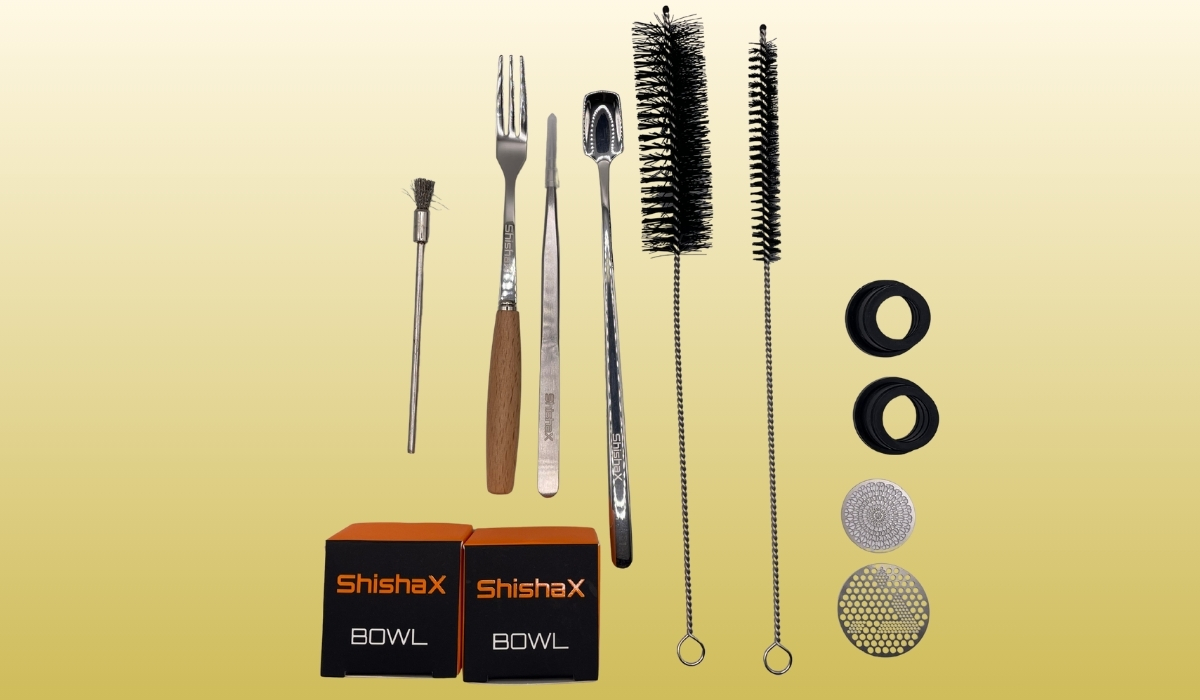
What's in the Box
Inside the box you will find everything you need to get started and maintain the device:
- the VOLTA bowl itself with a removable battery;
- 2 ceramic chambers (you can rotate them between sessions);
- top and bottom screens to hold the tobacco in place;
- metal tongs;
- a metal brush for cleaning the ceramic chamber;
- 2 regular long brushes for the air channel inside the bowl;
- a fork and a spoon for tobacco;
- 16 mm and 18 mm silicone grommets;
- a USB Type-C cable and a user manual.
From our experience: you don't have to use the included grommets — the grommets you already use with classic clay bowls fit VOLTA perfectly.
Design: What VOLTA Is Made Of
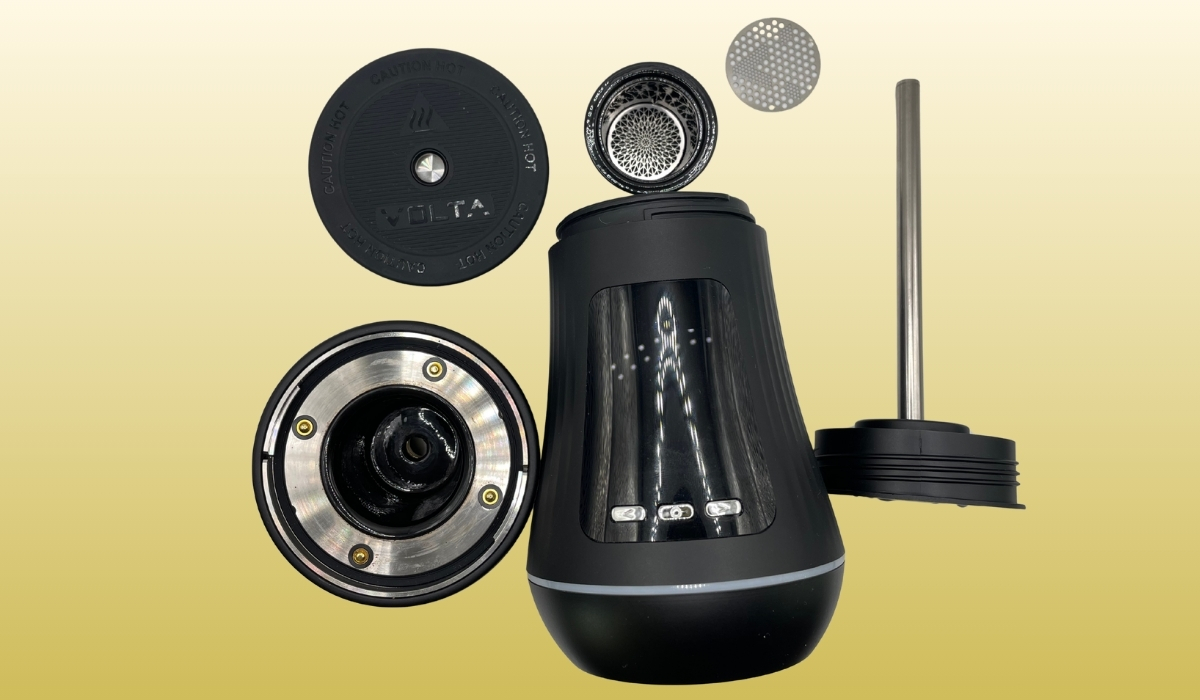
The bowl consists of three main parts:
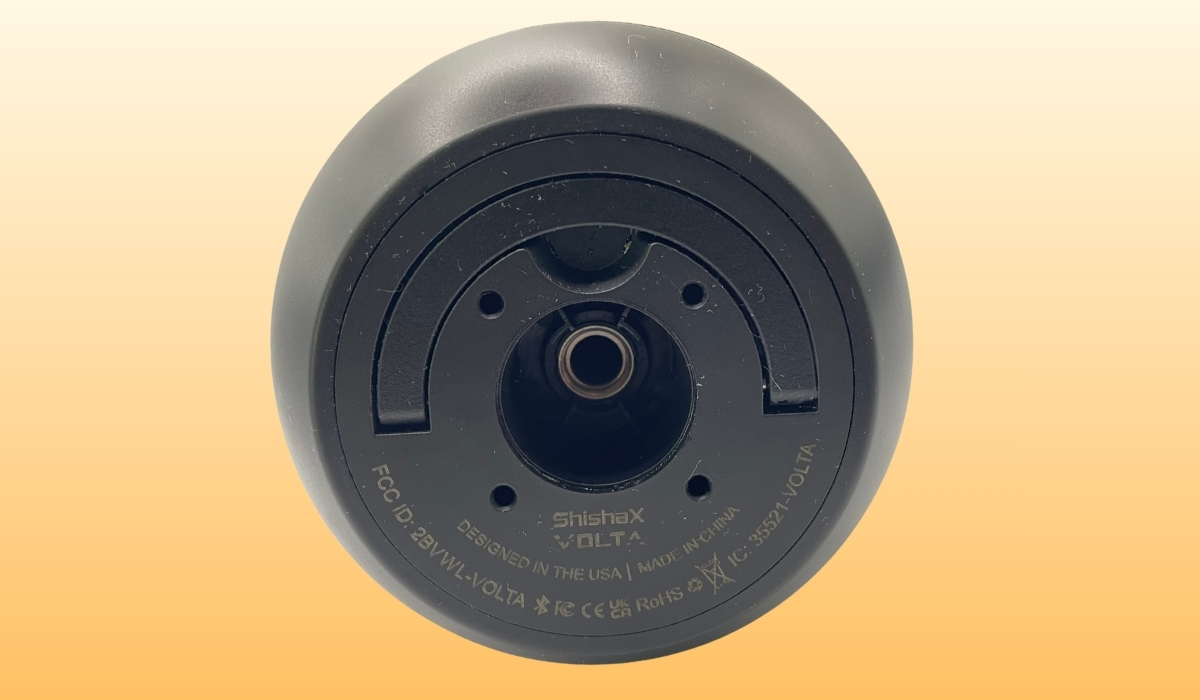
- The bottom unit — this is where the removable battery sits, with the central air tube running right through it. The bottom section with the tube unscrews for cleaning.
- The middle unit with the side heater — the ceramic chamber with tobacco goes in here.
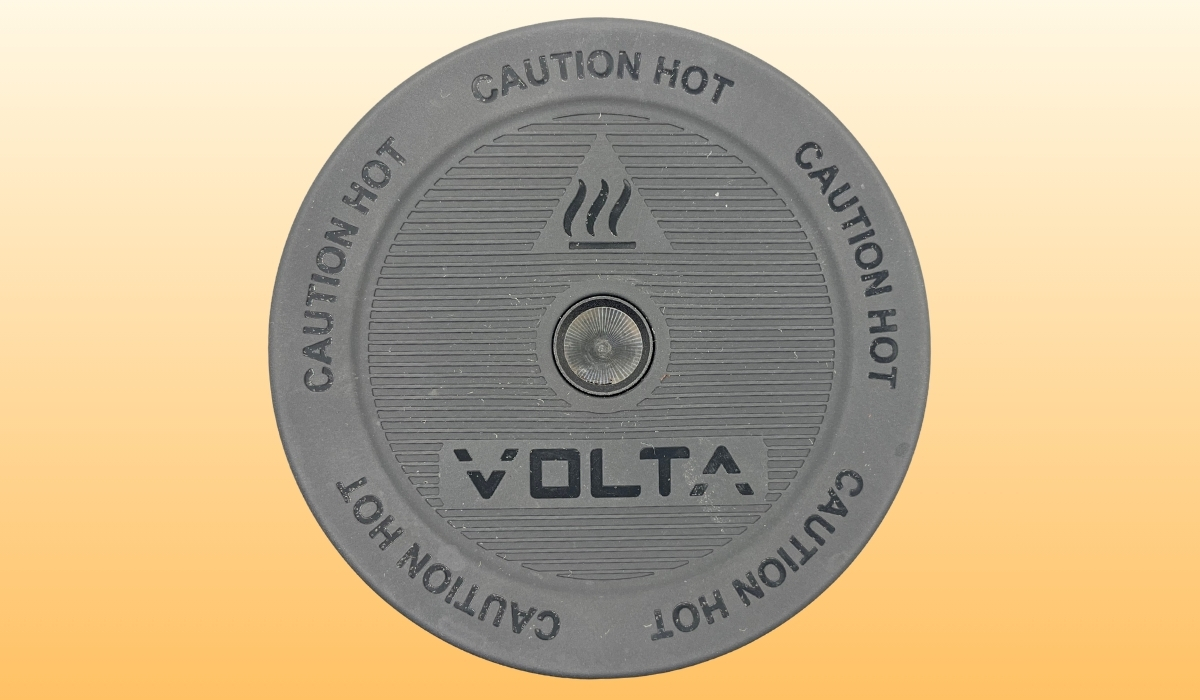
- The top cap with the top heater — the round part with the VOLTA and "Caution Hot" markings, made of special heat-resistant rubber. It unscrews, and the top heating element is installed inside it.
Separate heaters are a real long-term advantage: if the top or side heater ever fails, it can be replaced individually without taking the whole device apart. Check with your retailer for the availability of individual heaters.
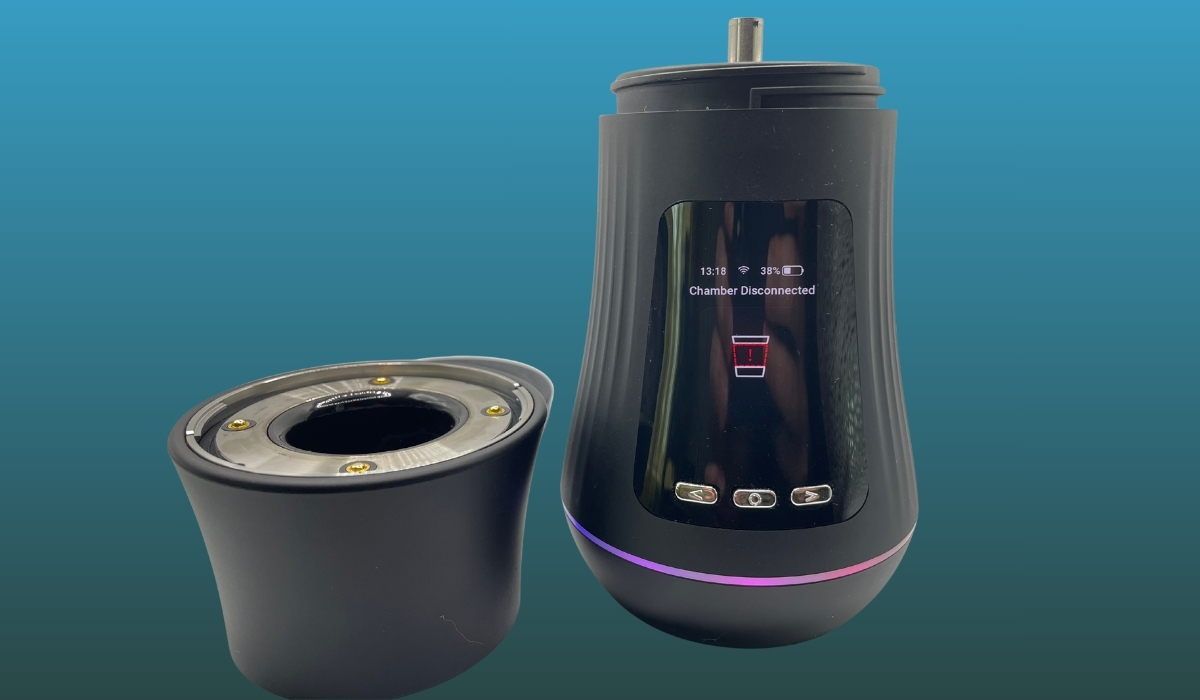
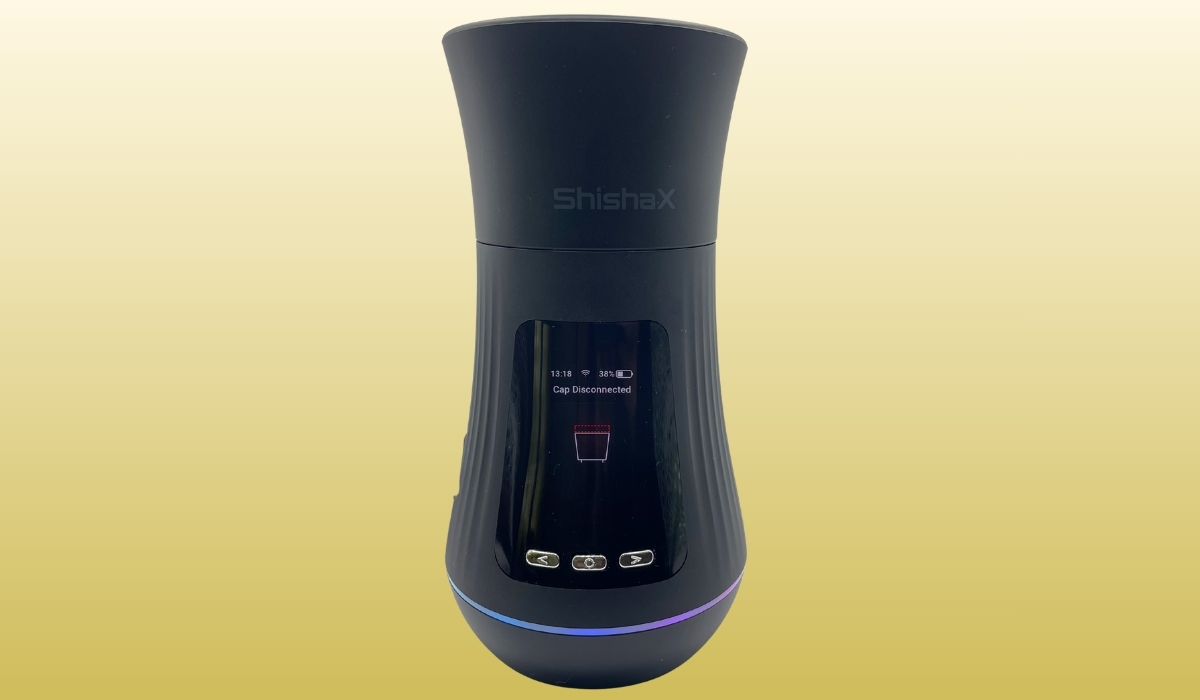
The bowl also "knows" its own state: if any heater is missing or has no contact, a corresponding warning appears on the screen.
Button Controls: All Combinations
There is a paper manual in the box, but button combinations are the first thing everyone forgets. Save this:
| Action | Combination |
|---|---|
| Turn the bowl on / off | One short + one long press in a row |
| Lock / unlock the screen | 4 quick presses |
| Pause the session | One press during a session |
| Resume the session after a pause | Double press of the center button |
| Skip to the next preset stage | Press the center button during a session |
| Open the settings menu | Press the "left" + "right" buttons at the same time |
Display: What the Main Screen Shows
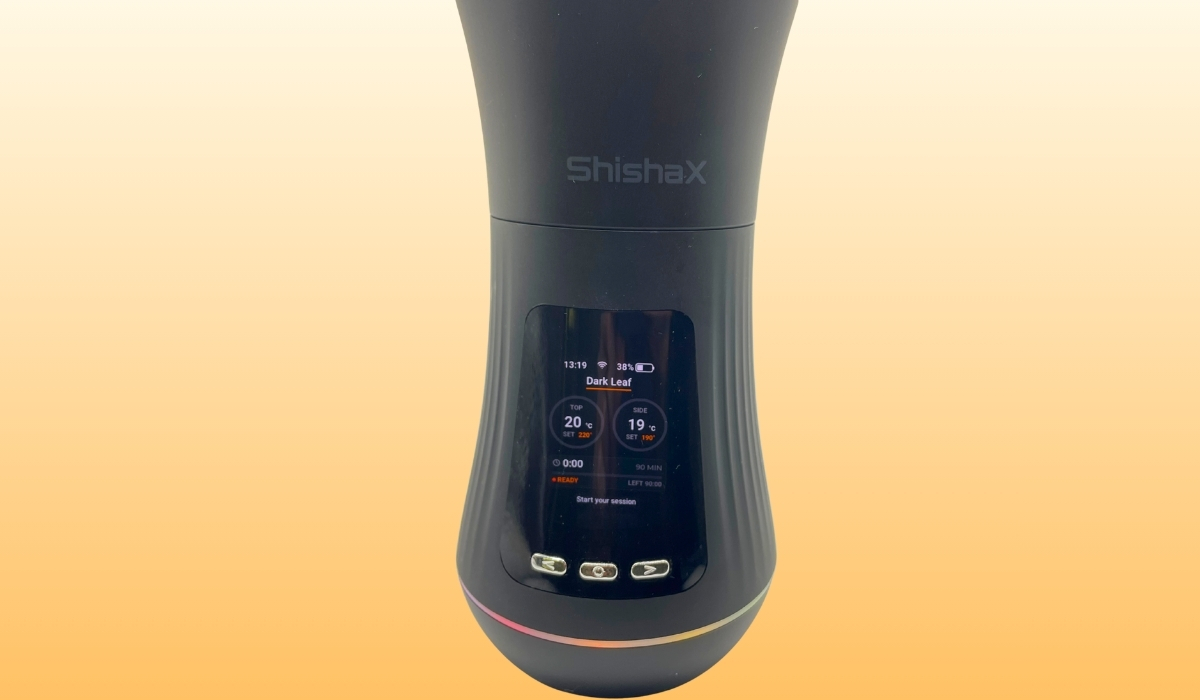
After powering on, the screen shows:
- at the top — the current time, the connection type (Wi-Fi or Bluetooth) and the battery percentage;
- in the center — the name of the selected preset, and below it two circular temperature indicators: the left one is the top heater, the right one is the side heater. Each circle displays the current temperature and, below it, the target temperature the preset is heating towards;
- at the bottom — a horizontal session bar that starts filling up together with the timer once the session begins.
If the bowl is on but idle, a screensaver is shown by default (it can be disabled in the settings).
The Settings Menu
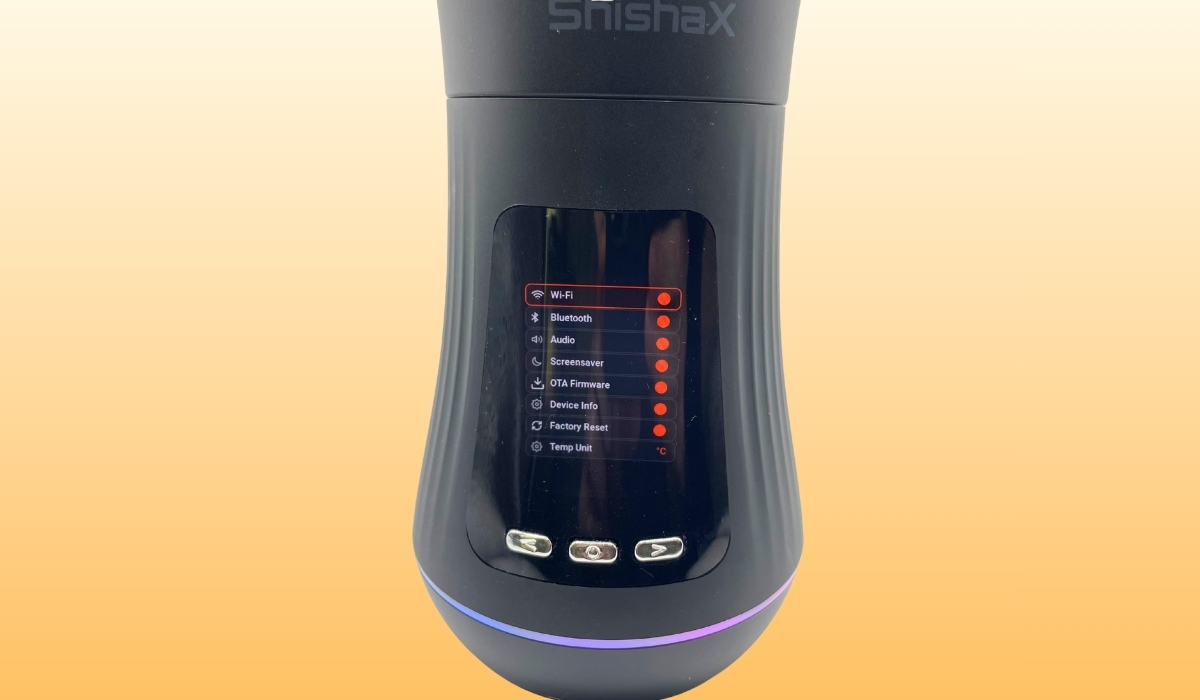
The menu opens by pressing the "left" and "right" buttons simultaneously. Available options:
- Wi-Fi — on/off;
- Bluetooth — on/off;
- Sound — the bowl announces events in English: session start and stop, device power on and off;
- Screensaver — enable/disable the idle screensaver;
- Firmware update — the firmware updates over the air. A new version will most likely already be available during the very first connection — we recommend updating right away;
- Device information — serial numbers and firmware version;
- Factory reset;
- Temperature units — Celsius or Fahrenheit.
Wi-Fi and Bluetooth Connection. The ShishaX App
VOLTA also works fully standalone — everything is controlled with the buttons and the display. But the app makes life easier: once connected, the physical buttons are basically only needed to power the bowl on and off, while everything else — choosing presets, temperatures, starting a session — can be done entirely from your phone.
How to connect:
- Install the official ShishaX app for Android.
- Enable Bluetooth or Wi-Fi on the bowl via the settings menu ("left" + "right" buttons).
- Add the device in the app — the bowl will appear in the list of available devices.
- After the first connection, check for a firmware update and install it.
The active connection type (Wi-Fi or Bluetooth) is always shown at the top of the main screen.
Temperature Presets — the Key to Flavor
This is the most important thing to understand about an electronic bowl: the whole smoking experience depends on the right preset. If the temperature is set incorrectly, the tobacco can overheat during the very first stage — the preheat. Once it's burnt, the flavor is gone for good: all that remains is an unpleasant burnt taste until the end of the session.
How to work with presets:
- The first stage of any preset is the preheat. 8–10 minutes is usually enough.
- Presets can be edited right during the session: start smoking and adjust the top and side heater temperatures on the fly until you find your flavor. Stage durations cannot be changed mid-session.
- Start with the standard presets that are already available on the device.
- The app has a catalog of presets shared by other users — you can grab a ready-made preset for your tobacco. You can also publish your own successful presets to the shared catalog.
Important: don't skip spending a session or two dialing in the temperature for your specific tobacco. It's an investment that will define your entire experience with the bowl.
Step-by-Step Guide: Your First Session with VOLTA
Step 1. Prepare the bowl
Make sure the battery is charged (at the very least well above 10% — details below). Place the ceramic chamber into the middle unit with the side heater.
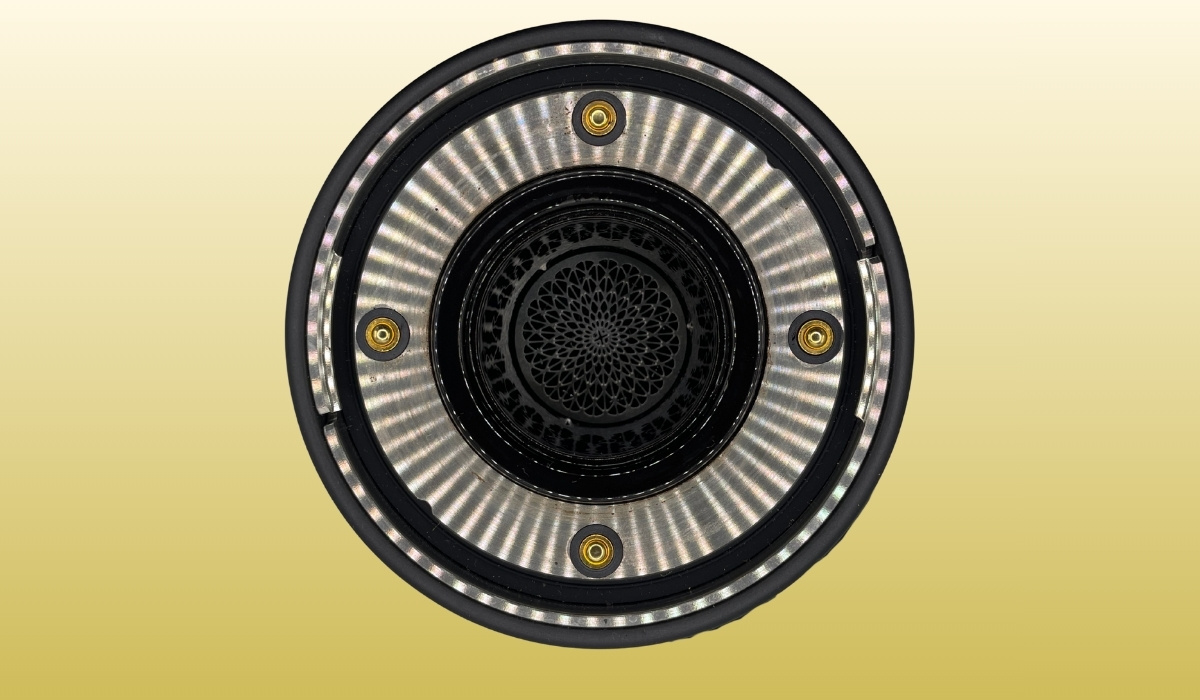
Step 2. Pack the tobacco
Place the bottom screen at the base of the ceramic chamber, add about 10 grams of tobacco on top, and cover it with the top screen. The screens lock the pack in place from above and below so the tobacco doesn't sink or shift — this way heat passes through the chamber evenly.
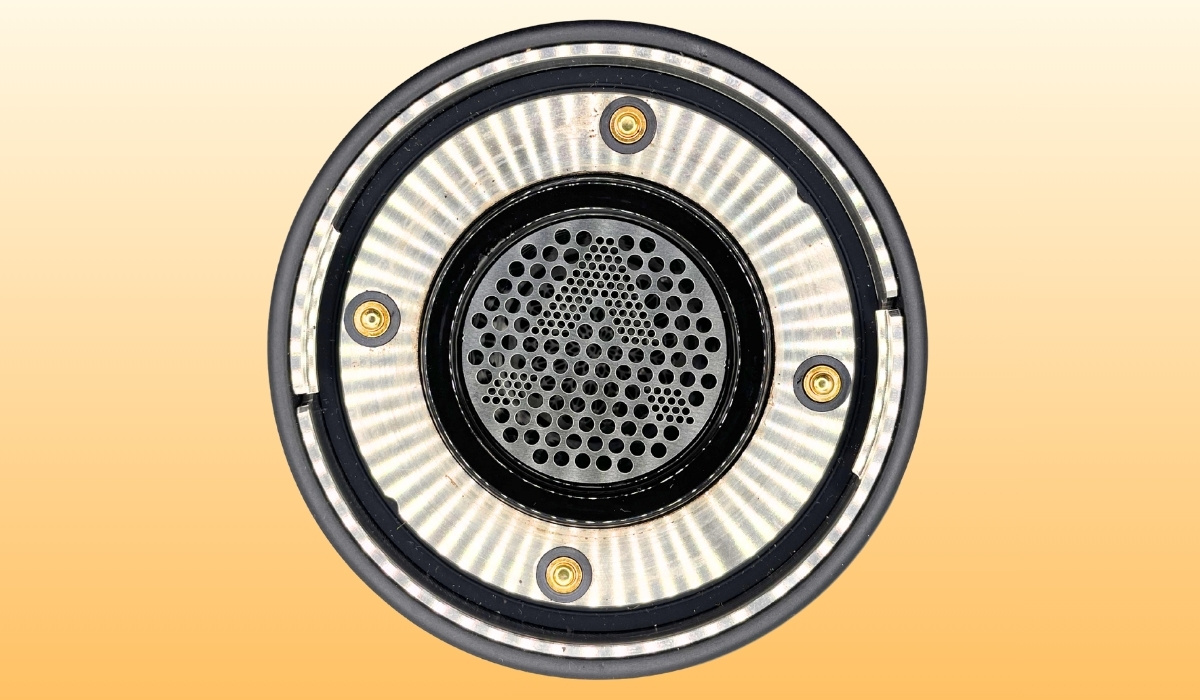
Step 3. Install the top heater
Screw on the top cap with the heater. If the cap is not installed, the bowl will tell you on the screen — you can't accidentally start a session "without the top".
Step 4. Place VOLTA on your hookah
The bowl goes onto the stem the same way a regular bowl does. There is a socket at the bottom that fits onto the hookah — both the included 16/18 mm grommets and your usual grommets from classic bowls will work. VOLTA is compatible with the vast majority of standard hookahs without any adapters.
Step 5. Choose a preset and start the preheat
Turn the bowl on (short + long press), choose a preset on the device or in the app and start the session. The preheat takes about 8 minutes — just enough time to fill the base with water, connect the hose and get comfortable.
Step 6. Smoke and fine-tune
Adjust the heater temperatures on the first few pulls if needed. Once the flavor comes together — just leave the settings alone: the bowl will hold the temperature until the end of the session. You can extend the session if needed.
Battery and Runtime: Real Numbers
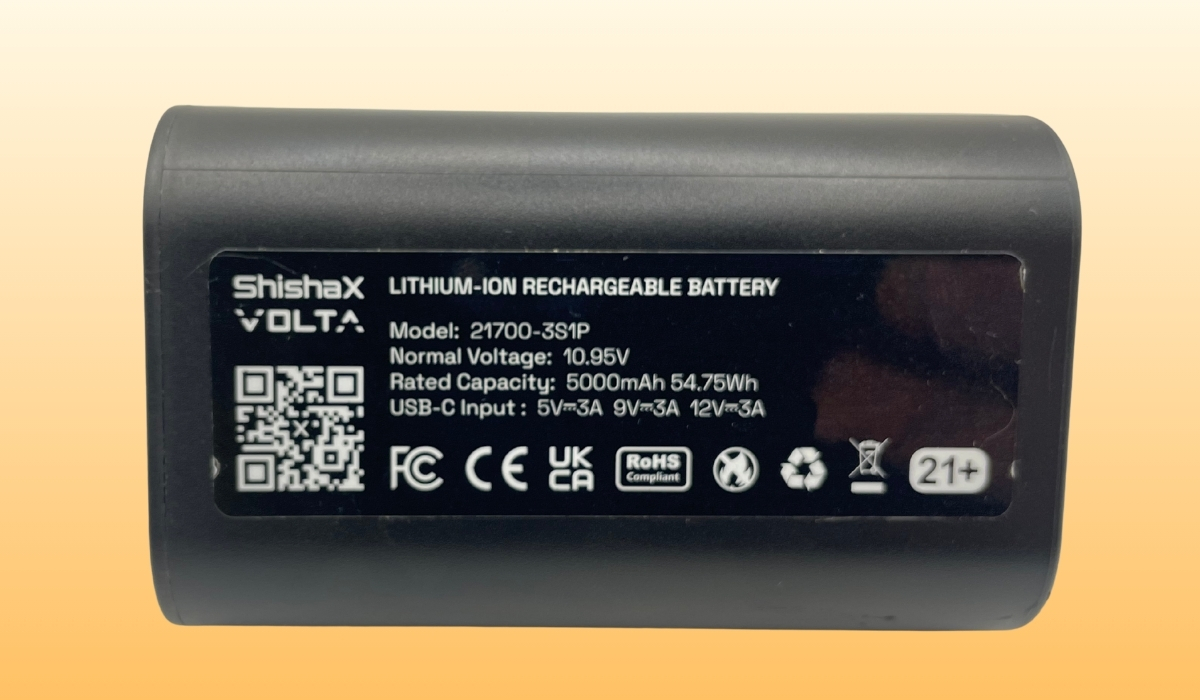
Stock battery specifications:
| Parameter | Value |
|---|---|
| Format | 21700, 3S1P configuration |
| Voltage | 10.95 V |
| Capacity | 5000 mAh (54.75 Wh) |
| Charging | USB Type-C: 5V/3A, 9V/3A, 12V/3A |
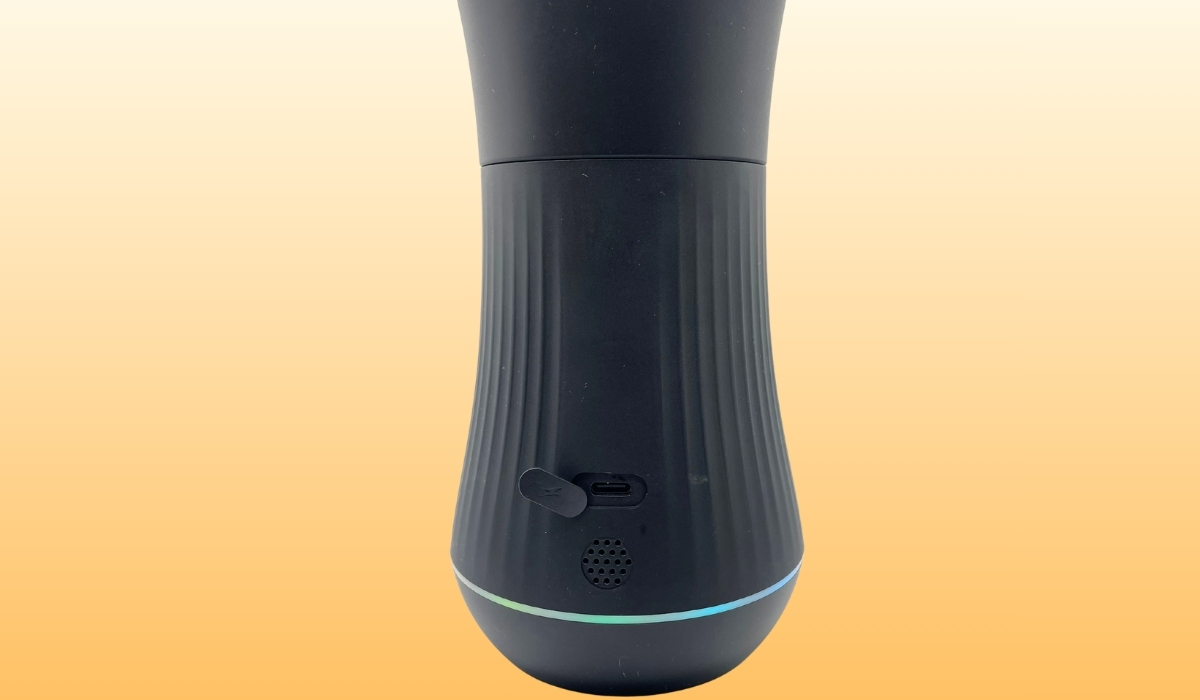
The battery has its own Type-C port, so it can be charged separately from the bowl — for example, while you're smoking on a second battery.
How Long the Charge Actually Lasts
Our measured result: after a 40-minute session including the 8-minute preheat, the battery dropped from 100% to 40%. In other words, two full sessions on a single charge are out of the question — realistically count on one full session.
If you need to pack a second hookah right after, you have two options:
- A spare battery (sold separately, around 4000 UAH) — just swap the battery and keep going.
- Smoking while charging (pass-through) — but there are important caveats here.
Smoking While Charging: What You Need to Know
Not every charger will do. The power adapter or power bank must deliver 3A — a weak charger simply can't handle this battery, let alone heating and charging at the same time.
Our experience with a powerful 12V/3A charger: the battery was at 100%, yet during smoking it still drained to 92%. So even with a powerful charger, the device can't fully compensate for the heaters' power draw — a lot of energy goes into the heating itself. However, for the rest of the session the level didn't drop any further: the charger holds the charge steady.
Practical takeaway: don't start a session at 5% battery, even plugged in — there may simply not be enough power. It's better to first charge the battery to at least 10% (up to 10 minutes with a powerful charger) and then start the session with the cable still connected.
Back-to-Back Sessions: the Hot Cap Caveat
Good to know in advance: if you smoke several hookahs in a row, the top cap with the heater is extremely hot after the first session — unscrewing it with bare hands is risky. Here's the routine:
- Carefully unscrew the top cap using a towel or an oven mitt.
- Take the hot ceramic chamber out with the included tongs.
- The ceramic chamber can go straight under cold running water — we've done this many times and the ceramic is perfectly fine: it cools down quickly, after which you just wipe it with a napkin and pack the next bowl.
Cleaning and Maintenance
- Only two parts can be washed under water: the ceramic chamber and the bottom section with the tube that unscrews from the battery unit. To access it, flip open the magnetic handle on the body and unscrew the bottom unit.
- All other parts (the body, the heaters, the electronics) must not be washed under water.
- Use the metal brush from the kit to clean the ceramic chamber.
- Use the two regular long brushes for the air channel inside the bowl.
About syrupy tobaccos: if the tobacco contains a lot of syrup, it will most likely drip into the base during the session, and it will also bake onto the socket that holds the ceramic chamber. Expect a more thorough clean-up after such tobaccos.
Draw Characteristics
The draw on VOLTA is slightly tighter than on classic clay bowls. It's a design trait: the entire airflow passes through a 5 mm steel tube running through the battery up to the ceramic chamber. Because of this, pulls may feel a bit more restricted than you're used to. It's not a defect — just the physics of the design, and you get used to it quickly.
Pros and Cons
Pros
- No charcoal at all: no ash, no lighting smoke, no open flame
- Stable temperature for the whole session — no flavor dips from "tired" coals
- Separate heaters: if one fails, you replace a single element, not the whole bowl
- Presets with on-the-fly editing + a community preset catalog
- Removable battery with its own Type-C charging
- Full control from your phone via the app
- Updatable firmware
- Compatible with standard hookahs and regular grommets
Cons
- A full charge lasts only one session (100% → 40% in 40 minutes)
- A second session in a row requires a spare battery (~4000 UAH) or a powerful 3A charger
- The top cap is very hot after a session — impossible to unscrew with bare hands
- The body and heaters cannot be washed under water
- The draw is tighter than on classic bowls (5 mm air tube)
- Syrupy tobaccos drip into the base and bake onto the chamber socket
- A bad preset can ruin the whole session — dialing in temperatures takes time
FAQ
Will VOLTA fit my hookah?
Yes, in the vast majority of cases. The bowl sits on a standard stem with a grommet — either the included 16 or 18 mm ones, or the regular grommets you use with classic bowls.
What tobacco can I use?
Any shisha tobacco, with a pack of about 10 grams. The only caveat — very syrupy tobaccos make the bowl and the base dirtier.
Can I smoke without the app?
Yes, the bowl is fully standalone: everything is controlled with the buttons and the OLED display. The app is a convenience, not a requirement.
Can I smoke while charging?
Yes, provided your charger or power bank delivers 3A. But the charge level won't rise while smoking — the charger only holds the current level. Don't start a session below 10% battery.
What do Chamber disconnected and Cup disconnected mean?
Chamber disconnected — the middle unit with the side heater is missing or has no contact. Cup disconnected — the top cap with the heater is not installed. Check that all parts are screwed on all the way.
Verdict
The ShishaX VOLTA is a working "hookah without charcoal" scenario for home use: one relaxed session per charge, consistent flavor from the first pull to the last, and zero fuss with lighting coals. The key is to spend some time dialing in a preset for your tobacco and to plan around the battery life if you smoke several hookahs in a row. For lounge use or long gatherings, budget for a second battery or a powerful 3A charger right away.


 Показать еще