


XKAH Pro Electronic Hookah Bowl: Review, Teardown, and Common Failures Explained
An electronic hookah bowl is the best charcoal replacement for 2026. In this article, we don't just review the XKAH Pro (also known as Huka Pro) — we used it ourselves and then completely disassembled the device to show what's inside and what's the likely cause of its most common failure.
What Is the XKAH Pro Electronic Hookah Bowl
For some time now, real hookah enthusiasts have been switching from classic bowls — which require a kaloud and charcoal — to electronic alternatives. The best solution for 2026 is the XKAH Pro electronic hookah bowl. It completely replaces a classic bowl, charcoal, and kaloud at the same time. And its biggest advantage is practicality.
With this device, you can smoke hookah anywhere: in the car, at the beach, or in a carpeted living room. No more worrying about how to light the coals or smoking carefully so a hot coal doesn't fall onto your floor. That's all in the past.
The new XKAH Pro electronic bowls completely change the philosophy of hookah smoking. Now, to enjoy a smooth, flavorful session, all you need to do is place tobacco in the device's metal bowl, press the power button 5 times — and select one of the three operating modes.


Three Operating Modes
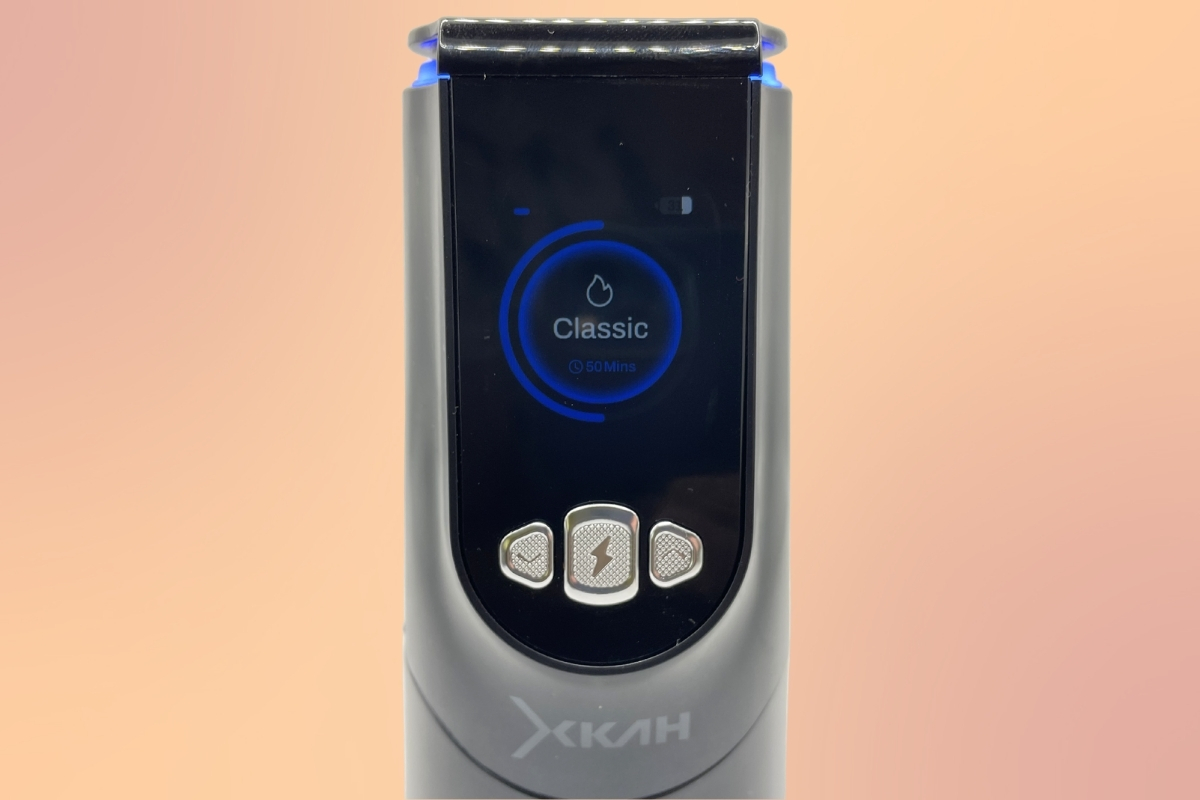
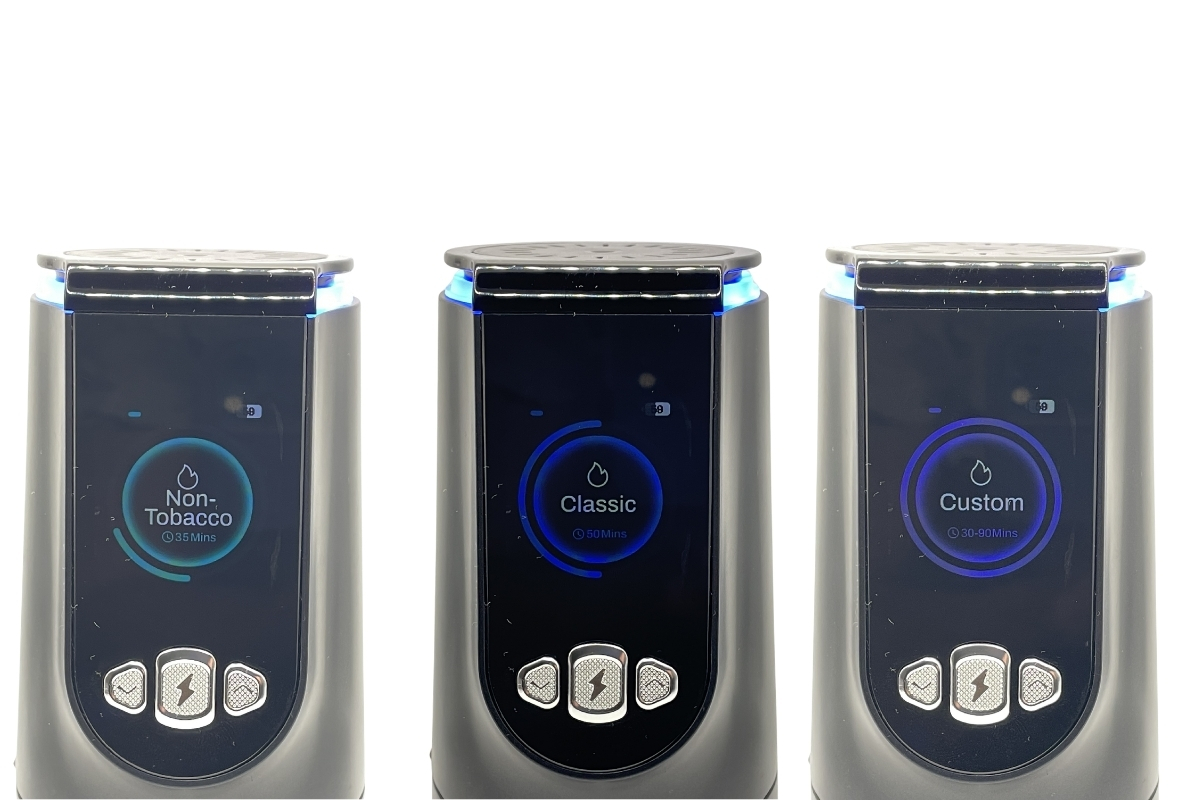
Once powered on, the XKAH Pro offers you a choice of three modes. Each is designed for a different type of mixture and skill level.
For Tobacco-Free Mixtures
This mode is built for tobacco-free mixtures — such as hookah tea. These blends aren't heat-resistant, so they need to be smoked at low temperatures. The XKAH Pro manufacturer thought of these users and developed a dedicated mode with the minimum temperature comfortable for such mixtures.
Classic — For Most Users
A classic mode with fixed temperature and session duration — ideal for most. The manufacturer dialed in the parameters so the result is consistent without any extra tweaking.
- Temperature
- 260 °C (500 °F)
- Session duration
- 50 min
- Bowl preheating
- ≈ 8 min
- Adjustable settings
- Parameters cannot be changed
This mode is perfect if you don't know the specifics of your tobacco and don't want to bother with settings: select the mode, wait for the preheat, and start smoking.
Custom — For Experienced Users
A custom mode for experienced users. When activated, you select the session duration yourself (you can't change it later) and the temperature. The maximum is 305 °C (581 °F). Temperature can be adjusted during the session — useful when your tobacco needs precise fine-tuning.
Battery and Runtime
The XKAH Pro battery is rated for 2 full smoking sessions. If that's not enough, you can buy an extra battery and swap them during a session. This makes hookah without charcoal genuinely portable: nothing ties you to a power outlet or stationary heat source.
How to Use and Care for It Properly
Even though it's an electronic bowl, it still needs care, and proper handling is essential for a long service life. Below are three critical rules we verified through our own hands-on experience.
1. Cleaning the Heating Element
After every smoking session, wipe the heating element. Glycerin and tobacco condensate collect on it, and when reheated this residue burns onto the surface — it ruins flavor and can eventually destroy the element itself.
2. The Lock Button Rule
When installing the lower part into the body, do it like this:
- Press the button that releases the lower part.
- Insert the lower part into the body.
- Only after that — release the button.
The same rule applies to the battery: press the battery release button → insert the battery → release the button. This will prevent damage to the locking mechanism.
3. Proper Battery Charging
- Charge with a low-power adapter — current rating up to 1 A.
- Don't put the battery on the charger right after a session — let it cool down for 10–20 minutes.
- A full charge cycle from 0 to 100% takes about 4 hours.
How to Disassemble the XKAH Pro and What's Inside
We fully disassembled the device — below is a step-by-step guide. If you're working on diagnostics or self-repair, this section will save you time.
What You'll Need
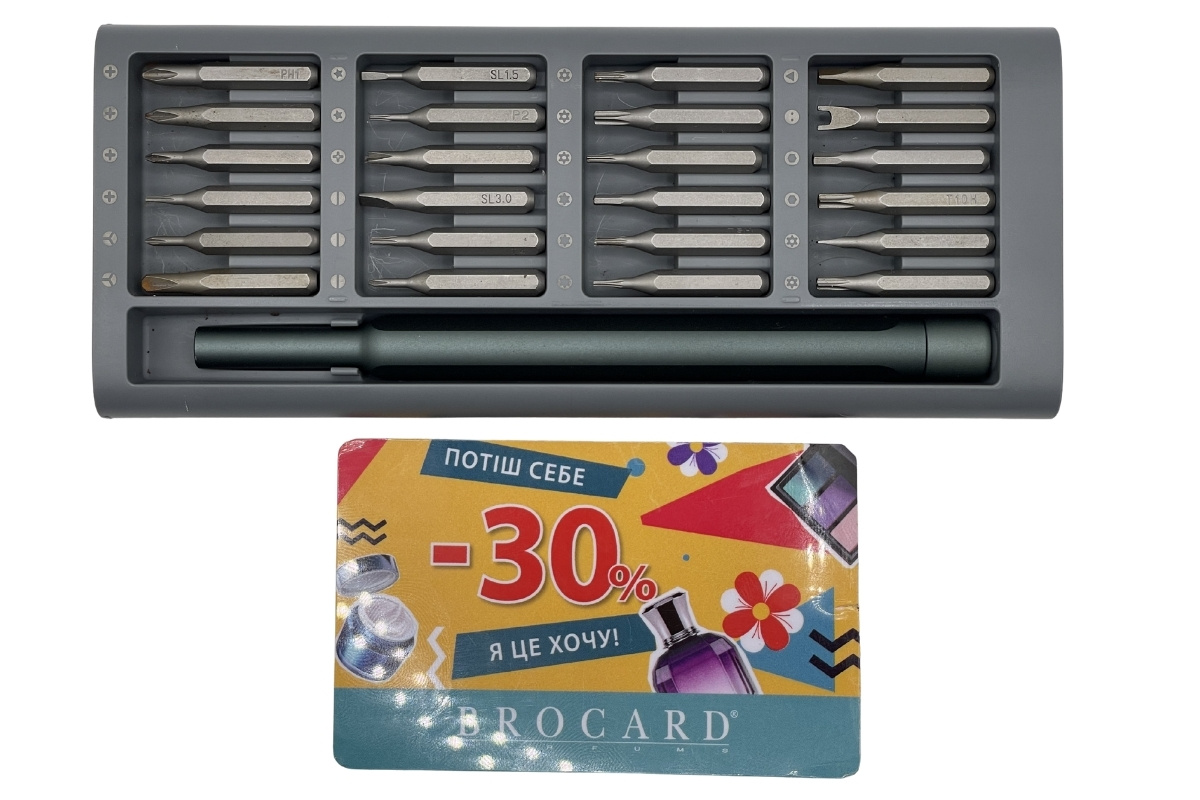
- A plastic card (a regular bank card will do)
- A screwdriver set with T6H and T5H bits
Step-by-Step Disassembly
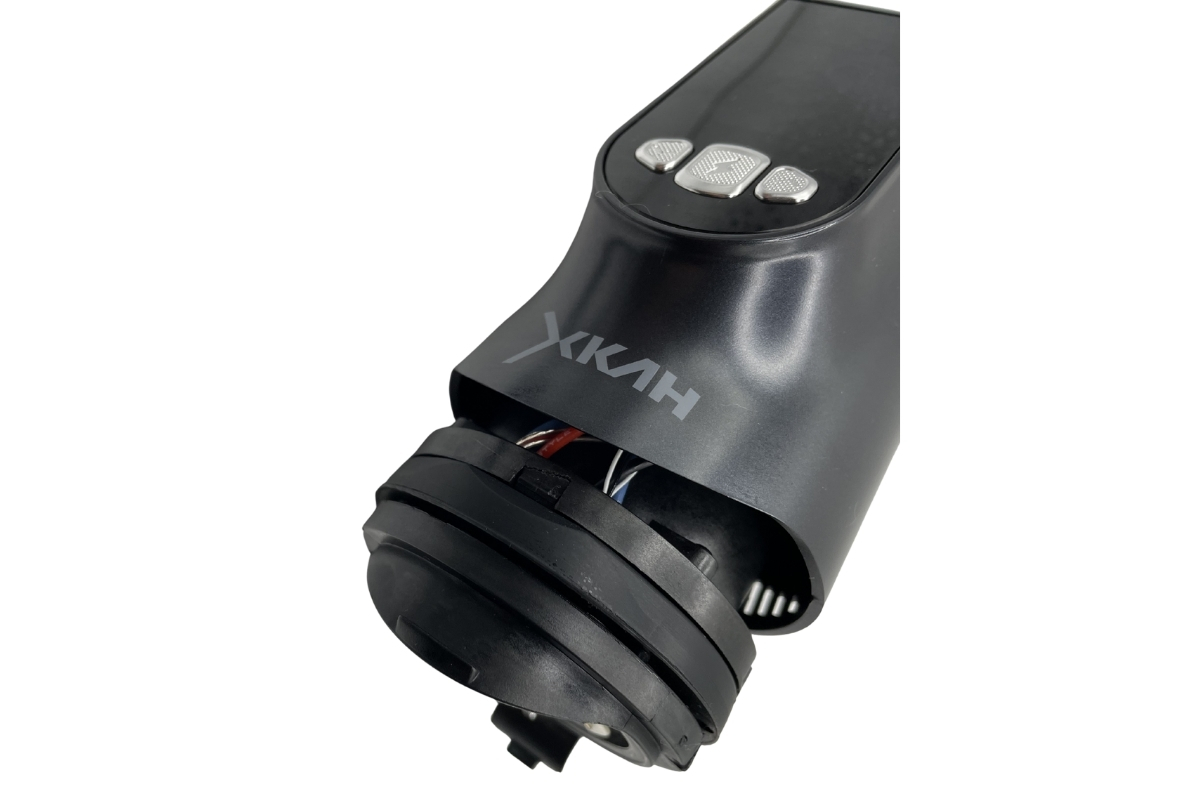
- First, remove the battery from the device and detach the lower section.
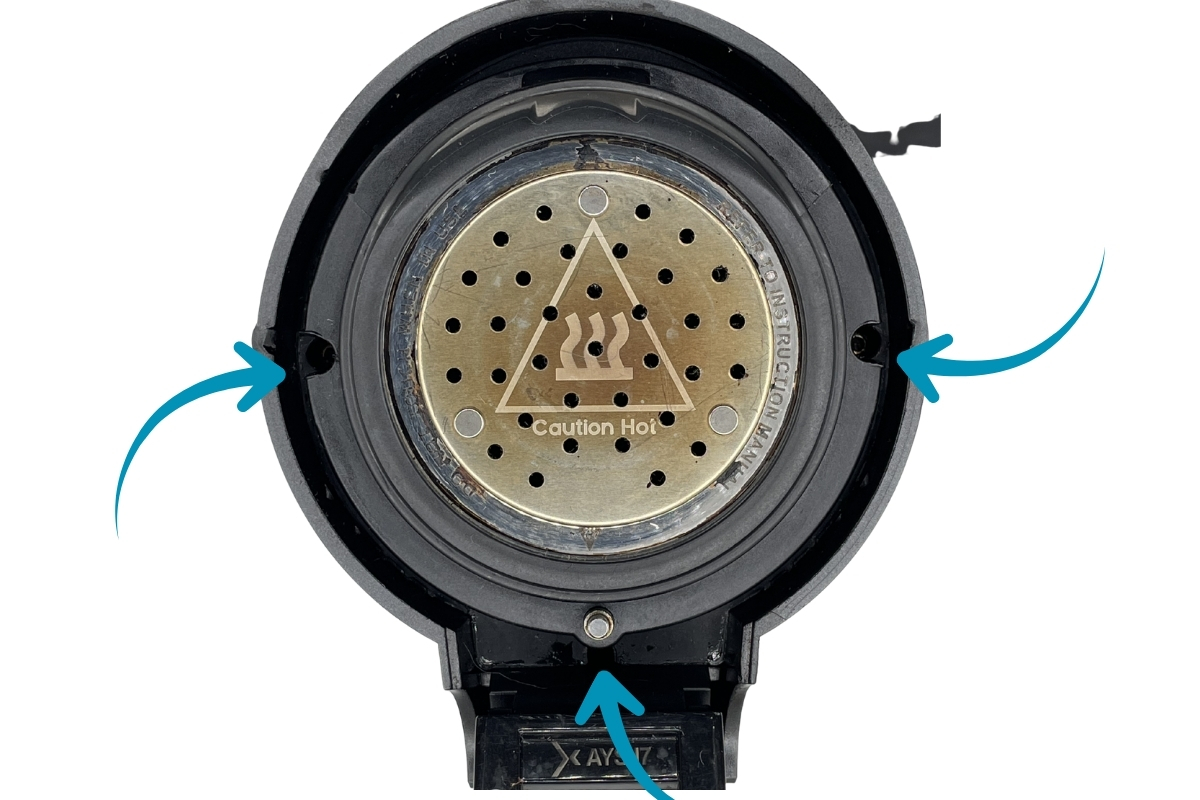
- Using a plastic card at the bottom edge of the device, lift the rubber gasket. Underneath you'll find 3 screws — unscrew them with the T6H driver. Two are on the sides, the third is under a spring-loaded mechanism. If your screwdriver is short, push out the metal pin with the spring to get access to the screw hole.
- After all three screws are out, slowly press the area under the battery downward. Pull the block out partially, about 1 cm. That's enough to reach the remaining screws.
Accessing the Control Board
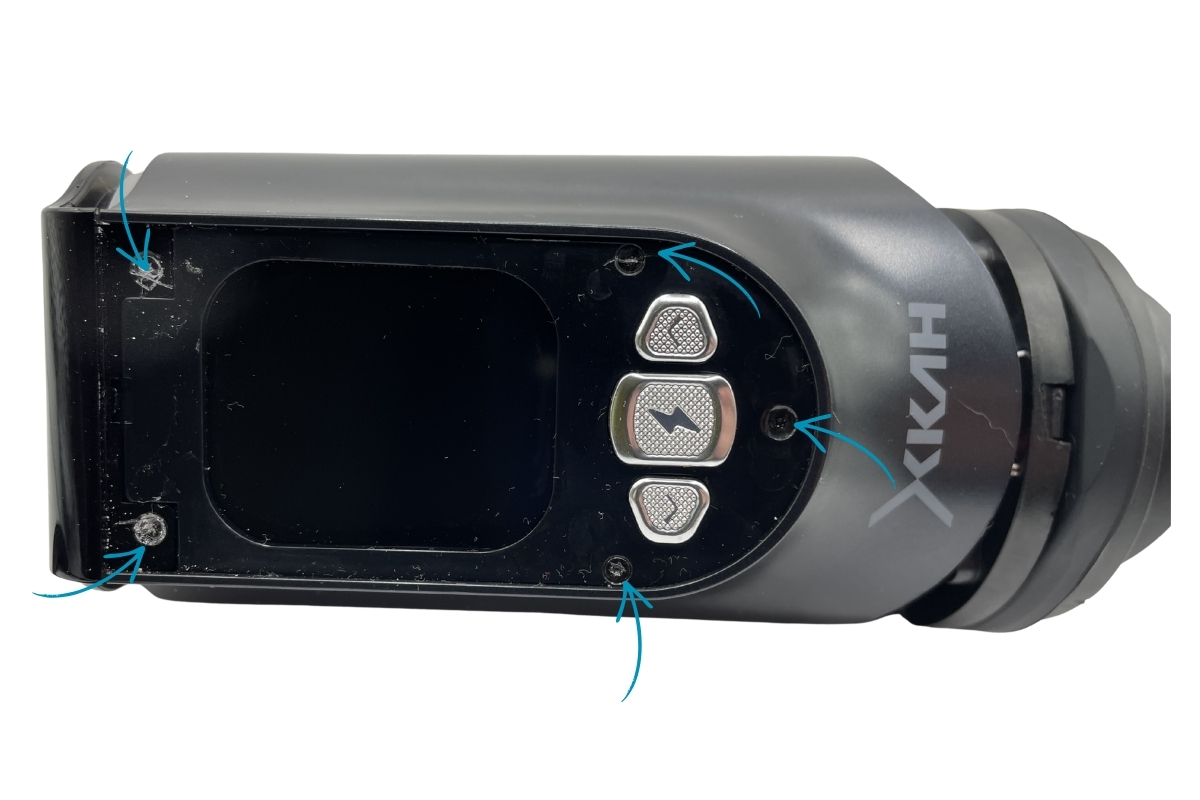
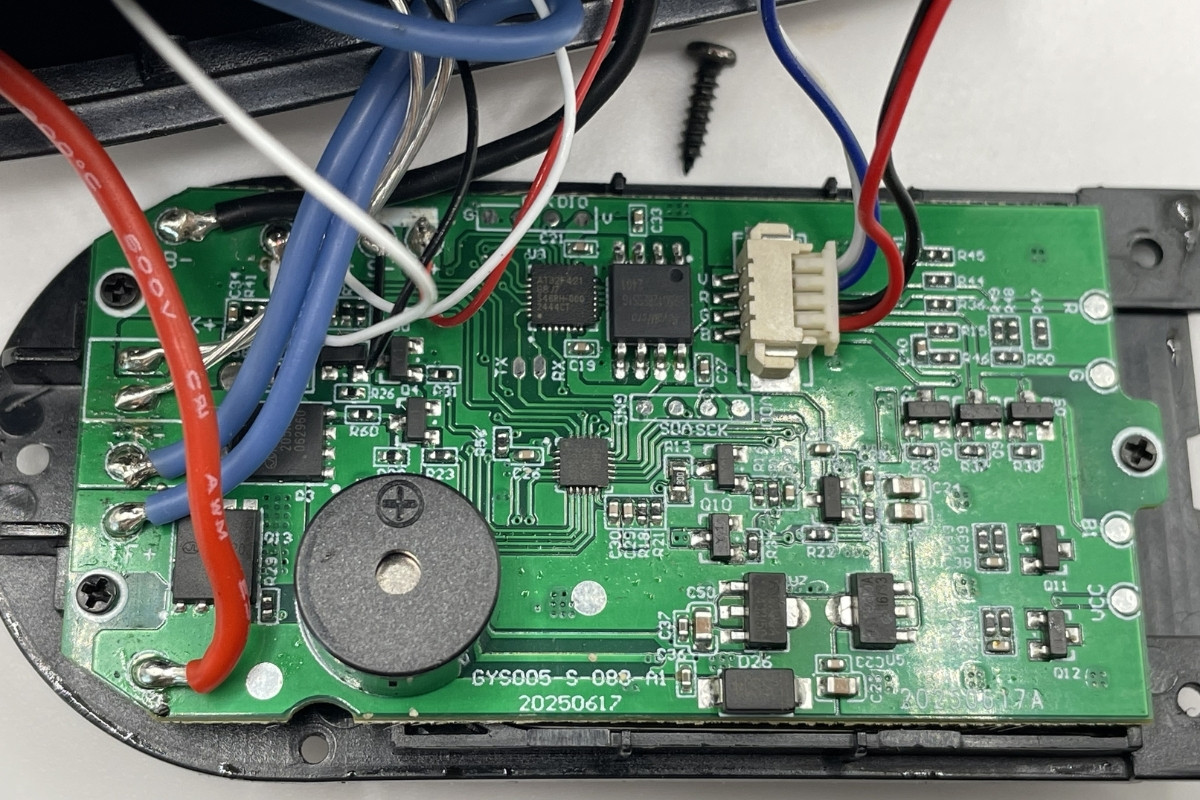
To reach the control board, remove the plastic cover over the screen. Underneath are 5 more screws. In our unit they were filled with plastic — at first you can't even tell they're screws. To remove them, use a heated T5H screwdriver: the heat softens the plastic plugs and the bit slides into the slot.
Our Diagnosis: Cause of Failure
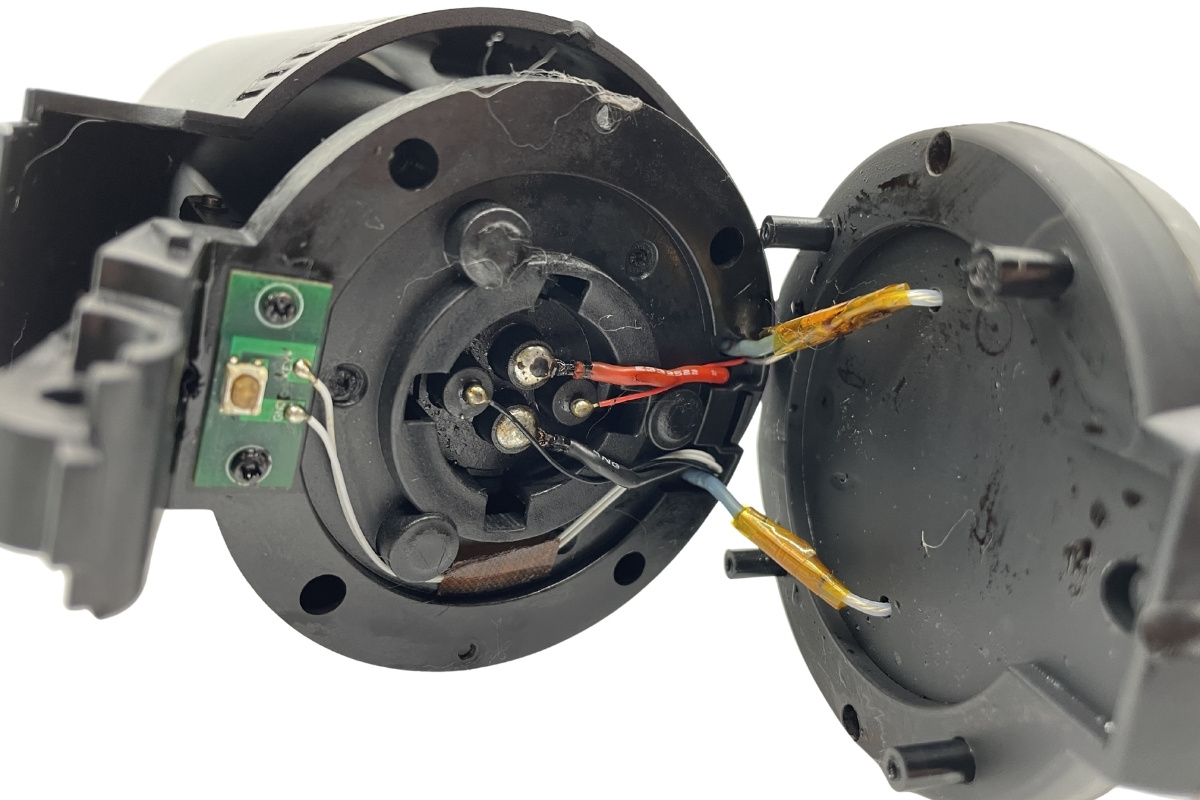
Our unit has the following symptom: when you select a mode and confirm it, the bowl blinks red 5 times and kicks you back to the menu — the device doesn't reach its working temperature.
If your XKAH Pro behaves the same way, the first thing to check is the heating element itself and its contacts with the board.
XKAH Pro Pros and Cons
Pros
- Full replacement for charcoal and kaloud
- Smoke anywhere — car, beach, home
- Three modes for different mixture types
- Two sessions on a single battery
- Hot-swappable batteries
- Custom temperature settings
Cons
- Sensitive battery locking mechanism
- Upper part can't be washed with water
- Heating element requires regular cleaning
- Internal screws are filled with plastic — tricky to disassemble
- Long full charging time (≈4 hours)
Conclusion
The XKAH Pro is a modern solution that genuinely makes hookah without charcoal a full-fledged replacement for the classic "charcoal + kaloud + bowl" combo. Electronic coal for hookah in this form factor delivers mobility, safety, and a consistent session quality.
That said, like any electronics, the device needs careful handling. Follow three rules — clean the heating element regularly, work with the lock buttons correctly, charge gently — and your XKAH Pro will serve you for a long time.
Want to try hookah without charcoal?
The XKAH Pro electronic hookah bowl is in stock at Hooka Cat. Delivery across Ukraine.
View Product


 Показать еще